Hands-Off Seo Content Automation
How automated content publishing reduces manual publishing for SaaS teams: Show how automation lowers publishing friction and supports consistent output for SaaS teams.
Automated content publishing reduces manual publishing for SaaS teams by streamlining drafting, approvals, CMS upload, scheduling, and reporting.
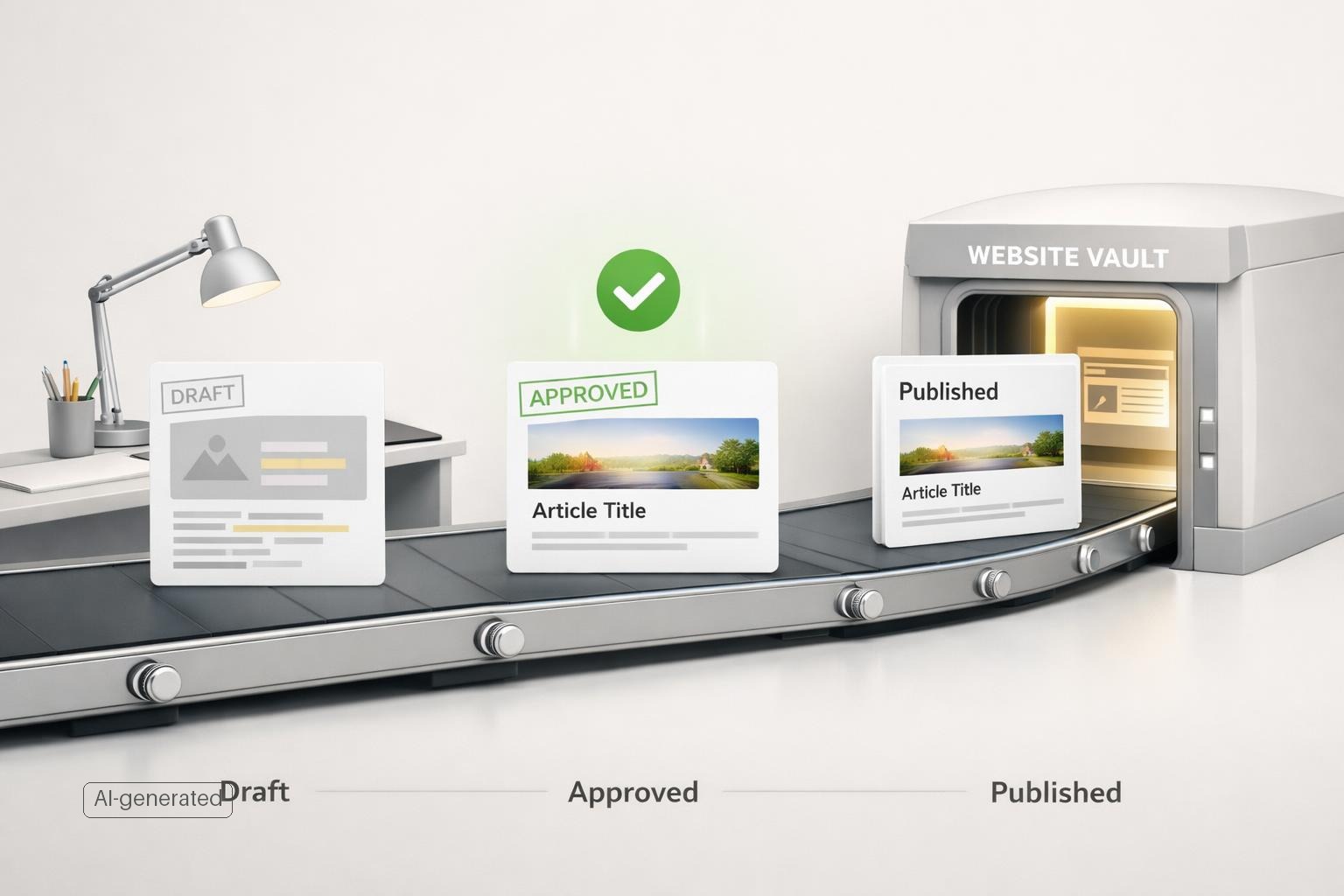
Quick answer: Automated content publishing reduces manual publishing for SaaS teams by removing repetitive handoffs between strategy, writing, review, formatting, upload, scheduling, and reporting. Instead of treating each post as a one-off project, automation turns publishing into a repeatable workflow: topics are queued, drafts are prepared, approvals are routed, content is pushed to the CMS, checks verify the result, and performance is tracked automatically. The practical result is less coordination work, fewer delays, more consistent output, and more time for the tasks automation should not own: product accuracy, editorial judgment, and prioritization.
TL;DR
- Automation cuts the most expensive part of publishing for SaaS teams: internal coordination, formatting, uploading, scheduling, and follow-up, not just writing.
- Teams using AI in content workflows publish more often on average, but output quality still depends on human review and original expertise.
- The best workflow is not “fully automatic publishing.” It is automated preparation, routing, CMS delivery, QA, and measurement with human approval at key decision points.
- For SaaS, the biggest gains come from connecting topic discovery, editorial standards, CMS publishing, and refresh workflows into one system instead of handling each step manually.
Where manual publishing actually slows SaaS teams down
Most SaaS teams do not struggle because they cannot write a blog post. They struggle because publishing is fragmented.
A typical manual workflow looks like this: someone pulls topic ideas from keyword tools or customer questions, writes a brief, assigns a draft, chases reviews from product or demand gen, rewrites sections for accuracy, reformats for the CMS, adds metadata, uploads images, schedules the post, asks engineering for fixes if something breaks, then checks indexing and performance later if anyone remembers. Each step is individually manageable. Together, they create friction (Does AI content rank well in search? Survey + Data study).
That friction compounds because SaaS content usually has more stakeholders than a simpler editorial program. Product marketing wants positioning consistency. SEO wants structure and search intent alignment. A subject matter expert wants technical accuracy. Legal or compliance may want a look. A web team may still control publishing access. The post can be “done” for days or weeks before it goes live.
This is why automation matters more for publishing operations than for draft generation alone. Content automation is commonly defined as using technology to speed up writing, editing, distribution, and performance tracking so teams can focus on higher-value work. In practice, that means reducing the number of manual touches required to move a piece from idea to published asset.
The goal is not to make content feel robotic. The goal is to stop spending senior team time on avoidable operational work. If your content lead is copying text into the CMS, fixing heading styles, re-entering meta descriptions, or emailing people for approval updates, your bottleneck is not creativity. It is workflow design.
What automated content publishing takes off your team’s plate
Automation lowers publishing friction when it handles the tasks that are repetitive, rules-based, and easy to verify (7 Content Automations Used by Real Content Pros).
For SaaS teams, that usually includes five categories of work:
-
Topic intake and prioritization Automation can collect topic opportunities from search data, support questions, sales-call themes, competitor gaps, and existing page performance. Instead of keeping ideas in scattered docs, the system maintains a publishable queue. This matters because consistent output usually fails at prioritization before it fails at writing.
-
Draft preparation and standardization Templates, briefs, internal linking suggestions, metadata fields, and structure checks can be prepared automatically. That cuts setup time and helps every post meet the team’s baseline SEO and AEO requirements.
-
Approval routing Strong teams automate status changes, reviewer assignment, reminders, and signoff steps. Ahrefs highlights real workflows where automation helps assign work across writers, subject matter expert reviewers, and editors to sustain significant monthly publishing volume. This is often the biggest hidden time saver.
-
CMS publishing and scheduling Once approved, content can be pushed directly into the CMS through integrations or an API instead of being manually copied over. For headless or developer-led setups, API-first workflows can remove developer handoffs and deployment delays. For Git-based content systems, publishing can also be triggered when approved content is merged.
-
Post-publish checks and reporting Automation can verify whether the page rendered correctly, confirm metadata placement, monitor indexing signals, track rankings, and flag refresh opportunities. This closes the loop. Publishing is not finished when a page goes live.
The productivity effect is real. In Ahrefs’ research, marketers using AI publish 42% more content per month, with 87% of respondents saying they use AI to help create content (Marketers Using AI Publish 42% More Content + New Research Report). That does not prove every team should automate everything. It does show that teams combining AI and workflow support can increase output when the process is set up properly.
How automation supports consistent SaaS content output without lowering quality
Consistency is where automation usually pays off fastest.
A SaaS content program often breaks down after the first few enthusiastic months. Not because the strategy was wrong, but because every post requires fresh coordination effort. When the quarter gets busy, publishing slips. Once publishing slips, reporting gets weaker, refreshes get delayed, and the content engine becomes unreliable.
Automation helps by making output less dependent on whether one person has enough time this week.
First, it creates repeatable publishing standards. A lightweight style guide, recurring content template, required product terminology, and QA checks can all be referenced automatically so each page starts from the same baseline. That is especially important for SaaS teams, where feature names, integrations, pricing language, and claims need to stay consistent.
Second, it improves cadence discipline. A schedule can be tied to your market’s update rhythm rather than to ad hoc editorial energy. Fast-moving software categories usually need more frequent updates than slower, more evergreen niches. Automation makes that schedule executable.
Third, it enables modular updating. Enterprise content teams increasingly use systems where core content modules can be updated once and propagated across derivative assets and channels (How enterprises scale content creation workflows). For SaaS, that matters when product messaging changes. If one integration description, feature explanation, or policy detail changes, you do not want ten manually edited versions drifting out of sync.
There is an important limit here: automation does not guarantee quality. Research from Semrush suggests that search performance depends heavily on originality and editorial quality, not just whether AI was involved (Does AI content rank well in search? Survey + Data study). Their reporting also notes widespread use of AI for research, editing, and optimization tasks. The lesson is simple: automate the production system, not your judgment.
Good SaaS content still needs humans to decide what is worth publishing, verify product truth, add first-hand insight, and reject weak drafts.
What a practical automated publishing workflow looks like for a SaaS team
The safest and most effective setup is not one-click, zero-review publishing. It is a controlled pipeline with clear human checkpoints.
A practical SaaS workflow usually looks like this:
1. Discover opportunities Use performance data, customer questions, and market gaps to identify topics. This is where a GSC-driven workflow becomes useful because it ties content production to actual search demand and existing site visibility rather than guesswork.
2. Prepare publish-ready drafts Generate a draft package, not just article text: target intent, outline, title options, metadata, internal links, schema suggestions where relevant, and notes on product mentions that need review.
3. Route for approval Send the draft to the right reviewer automatically. Product marketing checks positioning. A subject matter expert checks factual accuracy. SEO checks structure. The key is that reviewers should approve inside the workflow, not in disconnected email threads.
4. Publish to the CMS automatically After approval, push content into WordPress, Webflow, Ghost, a headless CMS, or a custom API-based workflow. Manual copy-paste is one of the easiest bottlenecks to remove. If your site uses a developer-oriented stack, approved Markdown or JSON payloads can trigger publication through API or REST endpoints rather than waiting for engineering availability.
5. Verify and measure Run post-publish checks: URL status, title and meta presence, page rendering, internal links, indexability, and analytics tracking. Then measure outcomes over time and feed the results back into future prioritization.
A simple before-and-after rollout example
For a Series A or Series B SaaS team with one content marketer, one product marketer, one SME reviewer, and shared web access, automation usually pays off first because the team publishes enough to feel friction but does not have spare operations capacity. A common stack is GSC + editorial tracker + docs + CMS + analytics, with automation connecting intake, approvals, publishing, and QA.
Before: each post takes roughly 5 to 8 non-writing hours across roles. The content marketer briefs and chases reviews, the SME comments in docs, product marketing approves messaging, and someone manually uploads to WordPress or Webflow, fixes formatting, adds metadata, schedules, and later checks results. Publishing four posts a month can easily consume 20 to 30+ operations hours before ongoing refresh work.
After: topic intake, brief generation, reviewer routing, reminders, CMS upload, metadata population, and post-publish checks are automated, while humans still approve accuracy and positioning. A practical rollout is: week 1, measure current touches, delays, and tools; week 2, automate CMS posting and metadata; week 3, add approval routing and reminders; week 4, add QA and reporting. Start by tracking touches per post, days from draft-ready to published, and hours spent outside writing/editing. Common rollout mistakes are automating low-quality drafts, skipping rollback rules, and forcing every page type into one workflow. If you publish only occasionally, have no clear editorial standard, or still change core positioning weekly, automation is usually not worth doing yet.
This is the operating model SAGEOBOT is built around. It is not just a content generator. It is a continuously operating website-improvement agent that identifies worthwhile opportunities, prepares concrete changes, routes them for human approval, executes supported actions, verifies them, and learns from outcomes. For SaaS teams, that distinction matters. The problem is rarely “how do I get more text?” It is “how do I keep improving the website without adding endless manual process?”
If your current workflow still depends on someone remembering to publish, nudge reviewers, check formatting, and pull results into a spreadsheet, you do not have a scalable content operation. You have a manual queue.
What to automate first, and what to keep human
Not every part of publishing should be automated at once. The best starting point is the work that is repetitive, slow, and least dependent on judgment.
Automate first:
- Topic collection and opportunity scoring
- Brief generation and content templates
- Reviewer assignment and reminders
- CMS upload, formatting, and scheduling
- Internal linking suggestions
- Metadata population
- Post-publish QA checks
- Indexing and performance monitoring
- Refresh triggers for aging content
Keep human-controlled:
- Final topic selection tied to business goals
- Product and pricing accuracy
- First-hand expertise and examples
- Claim review and fact verification
- Brand voice decisions
- Approval for sensitive or strategic pages
This split reflects how real teams scale. Automation should absorb workflow friction so humans can spend more time on the parts that affect trust and differentiation.
It also protects against the main failure mode of low-quality content automation: teams use AI to produce more words but do not improve editorial controls. That can create a larger backlog of mediocre pages instead of a better publishing system. The better approach is to automate around quality gates. If a draft lacks evidence, includes outdated product details, or does not match search intent, it should not advance.
For many SaaS teams, the first obvious win is CMS automation. The second is approval routing. The third is refresh automation for existing content. Those changes alone can remove a surprising amount of manual effort without requiring a full rebuild of your stack.
Bottom line
If your SaaS team is missing publishing targets, the problem is probably not that you need people to work harder. It is that too much of the workflow still depends on manual coordination. Automated content publishing reduces that friction by turning topic intake, approvals, CMS posting, QA, and measurement into a repeatable system.
The right goal is not “publish without humans.” It is “remove manual work that humans should never have been doing.” If you want consistent output without adding headcount or agency overhead, start by automating the publishing pipeline around clear editorial controls. If you want that operating continuously across your site.
Get started today.